
COLLABORATE® Space4.2.122 - Google Play
You'll be able to see results in few seconds.
Publisher Description
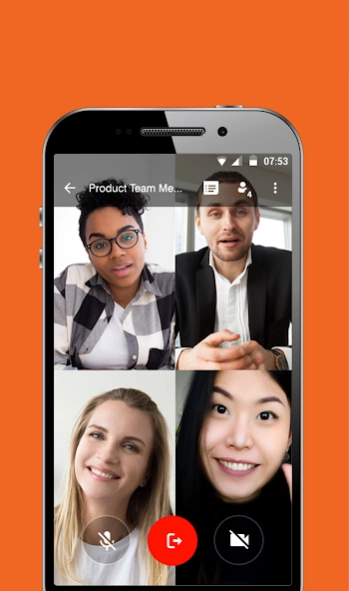
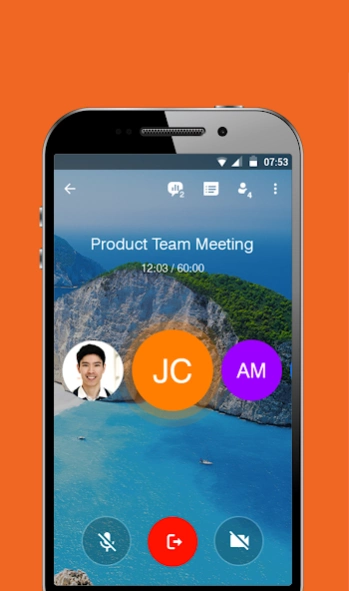
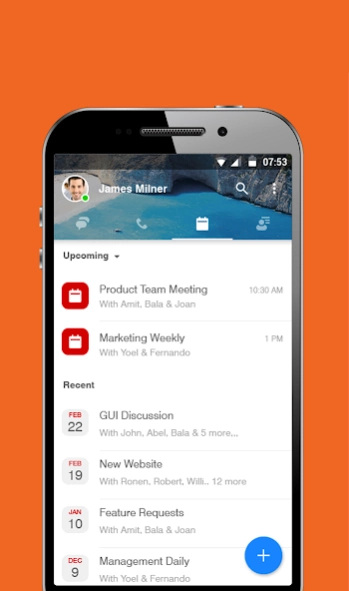
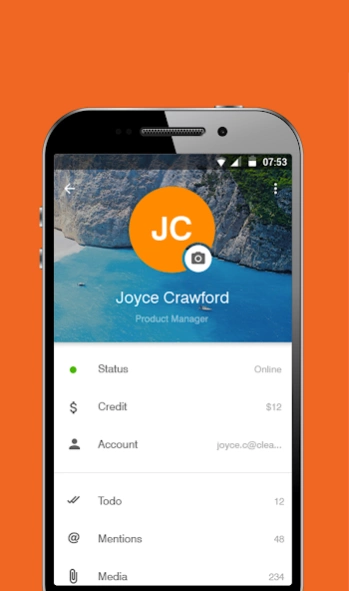
Unified messaging, calling, meetings, and persistent cloud collaboration
COLLABORATE® Space is a cloud video collaboration app that connects hundreds of users joining from any device, anytime, and anywhere for messaging, calling, and meetings. It provides persistent space to store messages, documents, whiteboards, recordings, and other data exchanged during calls and meetings. Users can create channels organized by topic and invite team members to join and collaborate.
This app can be used to extend your COLLABORATE® Space desktop experience while you receive video, documents, and applications in real time. Join any meeting from anywhere over any type of network (3G, 4G or WiFi) with professional quality.
Download COLLABORATE® Space Mobile for free and bring remote collaboration to a new level of productivity.
COLLABORATE® Space Mobile empowers you with the best collaboration tools:
• Messaging that remains persistent and accessible through any device (1:1 and Group/Channel)
• Calling (audio/video)
• Meeting (now/scheduled)
• SIP/H.323 interoperability
• Whiteboard
• Annotation over presentation
• Screen/document/application sharing
• File transfer
• Recording
• Topic-based channels (public/private)
Requirements:
Android 4.2 or later
Processor: ArmV7 (or similar architecture) or higher.
Frequently Asked Questions (FAQ):
Q. Is COLLABORATE® Space an upgrade to Spontania?
A. COLLABORATE® Space is entirely a new app; not an upgrade to Spontania.
Q. How is COLLABORATE® Space different from Spontania?
A. COLLABORATE® Space includes persistent space to store data exchanged on a topic, users can create topic-based channels, COLLABORATE® Space Mobile includes features such as messaging, whiteboarding, annotation, and additional tools such as meeting minutes.
For more information about COLLABORATE® Space Mobile, please contact us at space.support@clearone.com
About COLLABORATE® Space
The company that develops COLLABORATE® Space is ClearOne, Inc.. The latest version released by its developer is 4.2.122.
To install COLLABORATE® Space on your Android device, just click the green Continue To App button above to start the installation process. The app is listed on our website since 2023-08-30 and was downloaded 0 times. We have already checked if the download link is safe, however for your own protection we recommend that you scan the downloaded app with your antivirus. Your antivirus may detect the COLLABORATE® Space as malware as malware if the download link to com.clearone.spontania is broken.
How to install COLLABORATE® Space on your Android device:
- Click on the Continue To App button on our website. This will redirect you to Google Play.
- Once the COLLABORATE® Space is shown in the Google Play listing of your Android device, you can start its download and installation. Tap on the Install button located below the search bar and to the right of the app icon.
- A pop-up window with the permissions required by COLLABORATE® Space will be shown. Click on Accept to continue the process.
- COLLABORATE® Space will be downloaded onto your device, displaying a progress. Once the download completes, the installation will start and you'll get a notification after the installation is finished.
Program Details
System requirements
Download information
Pricing
Version History
version 4.2.122
posted on 2023-08-30
Bug fixes
version 4.2.117
posted on 2021-11-12
- Added security with option to use personal ID for each participant when -scheduling a meeting.
- Bug fixes.
version 4.2.111
posted on 2021-08-08
- Users can conveniently sign up for COLLABORATE(R) Space using their mobile phone number eliminating the need for an email account.
- COLLABORATE(R) Space users can conveniently forward a message to another COLLABORATE(R) Space user or simply respond to a specific message from a prior conversation.
- Bug Fixes.
version 4.2.98
posted on 2021-06-13
COLLABORATE Space web portal supports making calls directly from the web interface.
Meetings, classrooms and webinars can be managed from COLLABORATE Space web portal.
Added ability for meeting poll results to be exported to a file.
Scheduled meetings can be supported using a meeting ID and password.
Minor bug fixes.
version 4.2.90
posted on 2021-02-28
Added support for Pro users to be able to create breakout rooms.
Add support for Turkish translation.
Minor bug fixes.
version 4.2.89
posted on 2021-02-14
Added waiting room feature so the meeting can be scheduled with all participants in waiting room until hosts allows them.
Details of the poll results can be seen while the poll is still open.
Users can be deleted from the channel by the owner of the channel.
Improvements in cost savings report so the participants can opt out of the cost savings report.
Other bug fixes.
version 4.2.81
posted on 2020-12-20
Handraise feature is added for a meeting.
Mute indicator is added to each participant window.
CO2 savings report now shows cumulative savings for each participant.
Additional bug fixes.
version 4.2.74
posted on 2020-11-17
- Pro users can setup a poll as part of any scheduled meeting, classroom or webinar.
- Administrator can see the call details record with location and CO2 savings report.
- Bug fixes.
version 4.2.63
posted on 2020-10-19
Screen recording during COLLABORATE Space meeting can be enabled from admin portal.
Host can disable sharing and whiteboard control for any user during a meeting.
Self purchase is now supported with currencies other than USD.
Call Detail Records (CDRs) are available from web portal with administrator access.
Additional bug fixes.
version 4.2.61
posted on 2020-09-29
Minor bug fixes
Disclaimer
Official Google Play Link
We do not host COLLABORATE® Space on our servers. We did not scan it for viruses, adware, spyware or other type of malware. This app is hosted by Google and passed their terms and conditions to be listed there. We recommend caution when installing it.
The Google Play link for COLLABORATE® Space is provided to you by apps112.com without any warranties, representations or guarantees of any kind, so access it at your own risk.
If you have questions regarding this particular app contact the publisher directly. For questions about the functionalities of apps112.com contact us.
